
How Does the Internet Work? Let's Take a Ride on the Information Superhighway and Find Out!
Everyone's heard of the internet, right? It’s that amazing place where we connect with friends, binge-watch our favorite shows, find delicious recipes, and dive into endless cat videos. But have you ever thought about how it all works? Buckle up, because we are about to take a ride on the information superhighway to find out!
The Information Superhighway
Think of the internet as a massive freeway system connecting millions of vehicles (data) on a vast network—this is what we call the information superhighway. Just like cars travel from one city to another, data flows across the internet to reach its final destination, and just like highways, there are rush hours when the flow will slow down.

This highway has many lanes, bridges, and interchanges that symbolize the different routes data can take. The speed limits and traffic rules correspond to network protocols, which govern how data packets travel. For instance, an estimated 62% of global internet traffic is video content, illustrating just how much data is flowing along this highway every day!
What are Data Packets?
In our highway analogy, each data packet is like a vehicle on that freeway. When you send an email or stream a video, your information is divided into smaller packets, akin to goods loaded into delivery trucks. These packets travel through the network to their destination.
Each packet includes not just the information, but also an address, allowing it to find its way—similar to how a delivery truck follows GPS to ensure it makes all the right stops. For example, an email could be broken down into 5 packets; if one packet encounters a problem, it can be rerouted without affecting the others.
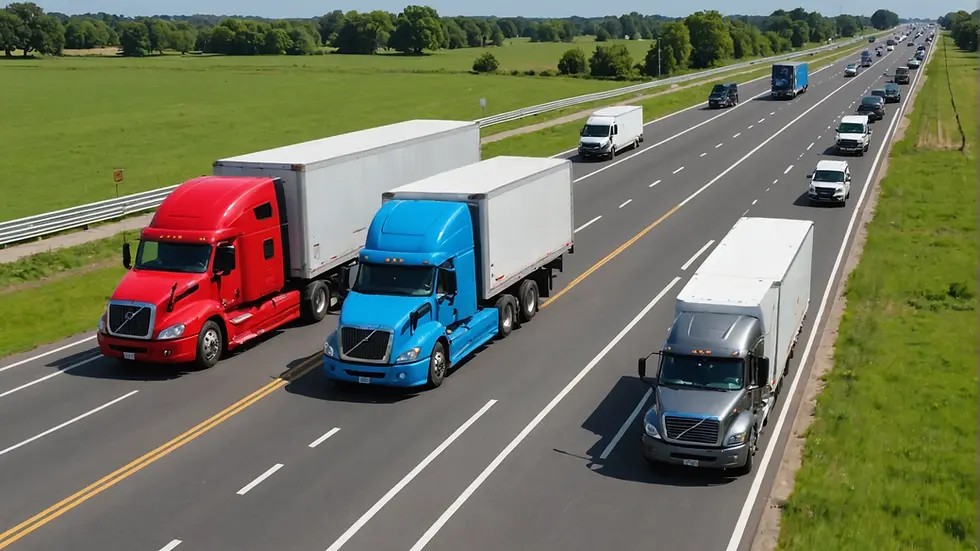
Moreover, these packets can take varied routes to reach the same destination, much like you might choose an alternate route to bypass traffic, making sure your data arrives as efficiently as possible.
The Role of Routers
Once packets hit the road, they need guidance—this is where routers come into play. Think of routers as traffic lights and highway patrol. They help direct packets toward their destination by figuring out the best routes based on current traffic conditions.
Just as road signs assist drivers in unfamiliar territory, routers ensure data travels smoothly. If one route is congested, routers can reroute packets to keep the flow moving. In fact, an efficient router can handle up to 1 million packets per second, ensuring quick delivery.
Bandwidth: The Lanes of the Highway
Imagine a highway with multiple lanes. The more lanes there are, the more cars can drive simultaneously without causing congestion. This represents bandwidth, which is critical for internet speed and performance. A highway with only one lane will quickly become busy, just as a low-bandwidth connection struggles when several users are online.
When you binge-watch a show while your roommate plays an online game, you might notice a slowdown. This happens because both activities share the available bandwidth, similar to cars trying to fit into the same lane! Understanding your household’s bandwidth needs can help because your connection is shared by all devices on it! So, if you have a 25mbps connection and 10 devices on at the same time, this can really slow things down. So, be aware of how much bandwidth you have and how many devices you're using at once.
ISPs: The On Ramp
Now, let’s dive into Internet Service Providers (ISPs), which are the on ramp to our internet highway. You must have an ISP to access the highway, which allows your data to travel. Each ISP has its own routes, speeds, and guidelines, meaning that your experience can differ greatly depending on which ISP you choose.
There are several types of ISP. They can be broken down into two categories, Wired and Wireless. The first category is Wired, meaning they are all using some type of cable to connect, whether it's fiber optic, cable or telephone lines. You've heard the terms Fiber, Cable, DSL and probably have a good idea of how those work. The second category is Wireless. These are ISPs that use a wireless signal to connect you. There are currently three types of Wireless, LTE, P2P (point to point) and Satellite. LTE based services use cellular signal to connect. P2P uses a radio that is pointed directly at your home. Satellite is exactly that, a satellite that beams a signal to the sky.

DNS: The GPS of the Internet
Ever wonder how your browser knows where to go when you type a website address? That’s the work of the Domain Name System (DNS). In our analogy, DNS acts like a GPS navigation system, translating easy-to-remember domain names (like www.example.com) into numeric IP addresses that computers use to locate each other.
So, when you hop on your digital vehicle and type in a URL, the DNS quickly finds the best route and guides you to your destination—similar to how GPS directs you to a restaurant or gas station. Did you know that there are over 1.8 billion websites? Without DNS, navigating this vast landscape would be chaos!
Security: Protecting Your Journey
On our highway, there’s always a risk of accidents and roadblocks. Similarly, the internet has its hazards, which is why we need to ensure that our data travels safely. This is where security protocols like HTTPS and firewalls come into play.
Just as safety measures such as police patrols and barriers are placed on highways, these protocols protect your data from unauthorized access, ensuring safe online travel. For instance, the use of HTTPS can reduce the risk of data interception by as much as 70%, giving you a safer browsing experience.
Enjoying the Ride
Now that we've explored how the internet works using our highway analogy, you can appreciate the intricate network that makes it all possible. From data packets zipping along lanes to ISPs acting as toll booths and routers ensuring smooth traffic flow, every aspect plays a crucial role in your online experience.
Next time you engage with the internet—whether you're streaming, browsing, or sharing—take a moment to appreciate the complex systems that allow these interactions to happen. So enjoy your journey on the information superhighway; there’s always something exciting waiting just around the bend!
Feel free to share this post with friends, and if you have any questions about the internet or want to know more about how Ladybug Wireless services work, please shoot us a message or call us! 833-4-LADYBUG (833 452 3928).


Comments